
Create Set of Books
In addition to the “Creation wizard” feature you may also create exact copies from existing sets of books, templates on your system. The following options are available:
- Start → Save as.
- Start → Create Set of Books (Copy from a Set of Books option on the Creation wizard).
- Setup → Tools → Global processes → Copy from a Set of Books.
You may create a new Set of Books using any of the following options on the Creation wizard:
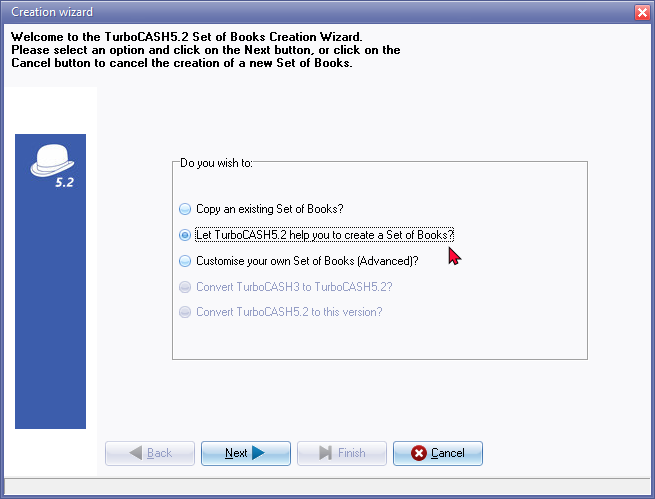
- Copy an existing Set of Books - Create an exact copy of a selected Set of Books.
- Let TurboCASH5.2 help you to create a Set of Books - Create a new Set of Books where you may select a template and then TurboCASH5.2 will take you through the process.
- Create a Set of Books (Advanced) - Create a new Set of Books from scratch. (This option should be used by more advanced users).
|
|
The default number of characters for the account codes in a Set of Books is determined by the Set of Books selected when creating, converting or copying a Set of Books. Currently, most Sets of Books consists of 3-digit account codes. You may, on the Advanced option, select to create a Set of Books with more than 3-digit (up to 8-digit) account codes. |
