
Tax report - Reference / Document no. (Reports menu)
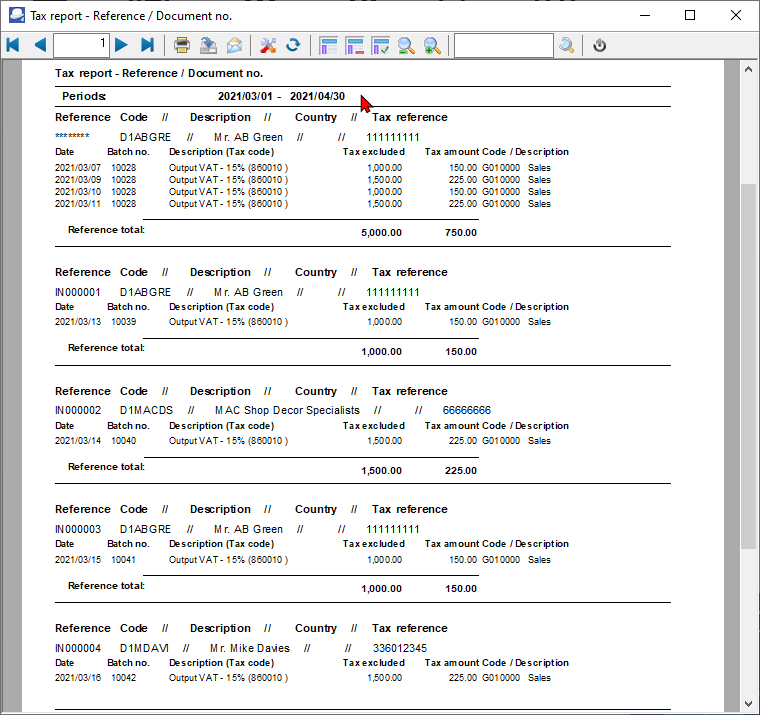
You may print the Tax report - Reference / Document no., to check your tax transactions of posted batch transactions and posted documents (i.e. invoices, credit notes, purchase and supplier return documents).
|
|
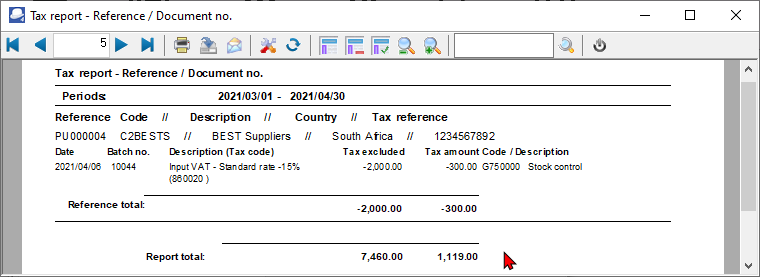
The Tax excluded and Tax amount in the Report total of the Tax report - Reference / Document no. report, should balance with the Total - Output tax – Input tax of the Tax per period report, if the same periods are selected. |

|
|
It is recommended that these tax reports are printed and archived (PDF) for record and audit purposes. |

To print Tax report - Reference / Document no.:
1.Select the Reports → Tax menu.
2.Select "Tax report - Reference / Document no.", if not already selected.
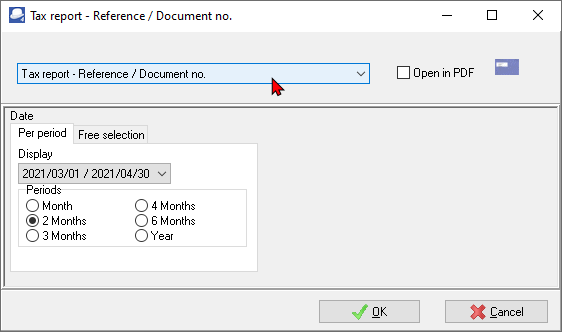
3.Select the period on the Per period tab. You may click on the Free selection tab to select a specific date or a range of dates.
4.Click on the OK button.
An example of the printed "Tax report - Reference / Document no.", is as follows:
Page 1 -
Page 5 - (Last page totals)
|
|
The Tax excluded and Tax amount in the Report total of the Tax report - Reference / Document no. report, should balance with the Total - Output tax – Input tax of the Tax per period report, if the same periods are selected. |