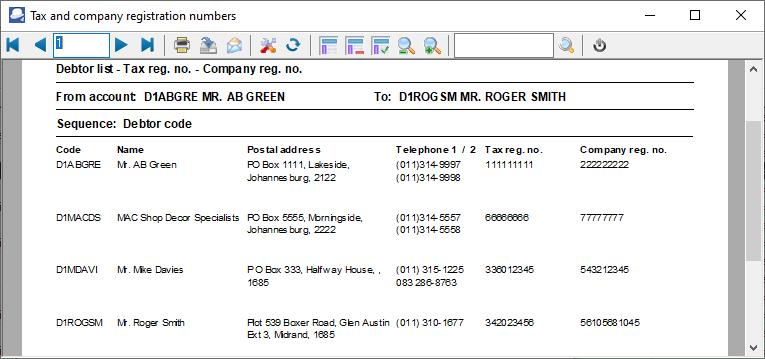
Debtor listing - Tax and company Registration numbers (Reports menu)
The Debtor listing - Tax and Company registration numbers report will list the Account code and Name (description), Telephone 1 and Tax registration number as well as the Company registration number for each of your debtor (customer / client) accounts.
To print Debtor listing - Tax and Company registration numbers reports:
1.Select the Reports → Debtors → Listing menu.
2.Select "Tax and Company registration numbers", if not already selected.
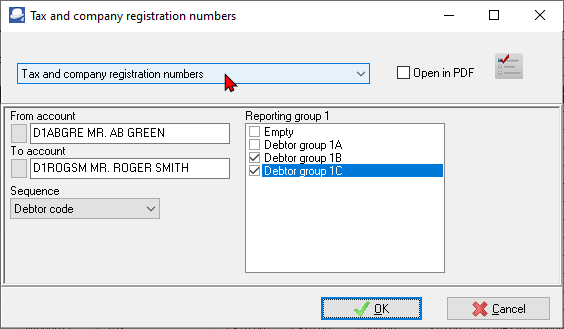
3.Select the following:
a)From account ... To...account - Select a debtor (customer / client) account or a range of debtor (customer / client) accounts, to include in the report.
b)Sequence - Select "Debtor code, Description, Tax Registration No. or Company Registration No." to print the report details in the order (sort) in which you wish to display the data.
c)Reporting group 1 - Select a reporting group or more reporting groups. The report will only be printed for those debtor (customer / client) accounts linked to the selected Debtor reporting group 1.
4.Click on the OK button.
View the "Debtor list - Tax and Company registration numbers" report