Contacts (Reports menu)
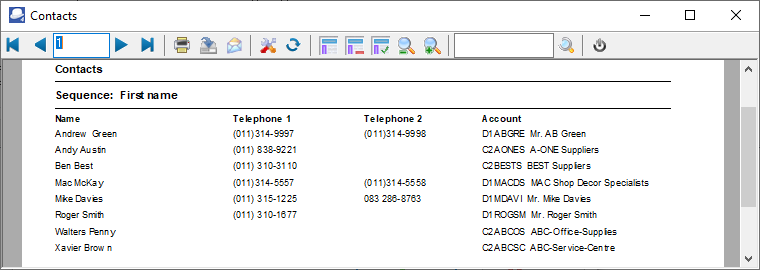
This report lists all contacts linked to debtor (customer / client) accounts as well as creditor (supplier / vendor) accounts.
|
|
To list only the contacts for debtor (customer / client) accounts, you need to print it in the Reports → Debtors → Listing - Contacts menu. To list only the contacts for creditor (supplier / vendor) accounts, you need to print it in the Reports → Creditors → Listing - Contacts menu. |

To add new contacts, edit or delete contacts, you may use the following options:
•Edit → Contacts
•Edit → Debtors - Contacts tab
•Edit → Creditors - Contacts tab
•Edit → Calendar - Contacts
To print a list of all contacts:
1.Select the Reports → Contacts menu.

2.Sequence - Select "First name, Name, Account or Description".
3.Click on OK. An example of the printed "Contacts" report, is as follows: