Switch language


When you install TurboCASH for the first time, the select a Language window is displayed on which you may select the language and country. If you have selected the incorrect language / country, when launching TurboCASH for the first time, you may change it.
This option allows you to choose between different languages, i.e. American or English:
|
English - This is the driver language file. |
|
You may customize any language for your own personal use. |
To choose a language:
1.On the Start ribbon, select Switch language.
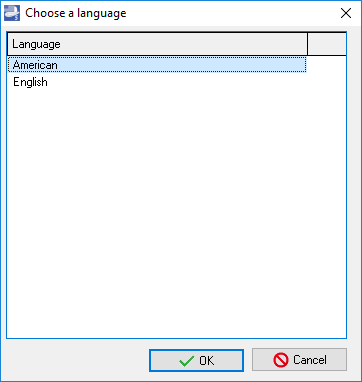
2.Select the Language of your choice.
3.Click on the OK button. The ribbons and the screens will be displayed in the selected language.
|
To access the Customize language option: 1.Right-click in any area of the list of languages (on the Choose a language screen). 2.Click on the Customize context menu option. This will directly access the selected (highlighted) language on the Customize Languages screen (Setup → Tools → Customize language). |
Created with the Personal Edition of HelpNDoc: Easily create PDF Help documents

