
Column balances
The Column balances report type will list the net balances (debits minus credits) for the general ledger accounts (i.e. Income, expenses, Bank accounts, Tax accounts and other ledger accounts reported in the Trial balance.
The Column balances report type allows you to list all ledger accounts in your chart of accounts, or only those accounts with balances.
This report type cannot be printed but can be exported to a spreadsheet (e.g. OpenOfficeCalc / LibreOffice Calc or Microsoft Excel, etc.).
You may generate the transactions in a spreadsheet format in the Column balances or the Column balances D/C report types on the Ledger analyser.
These transaction totals may be exported to an "Export.txt" file or "Export.csv" and opened in a spreadsheet.
|
|
You may double-click on an account and / or in a specific period to list and view the transaction details in the T-Account viewer. You may be print the transactions. |

Example : Column balances
The Column balances report type will list the net balances (debits minus credits) for the general ledger accounts (i.e. Income, expenses, Bank accounts, Tax accounts and other ledger accounts reported in the Trial balance.
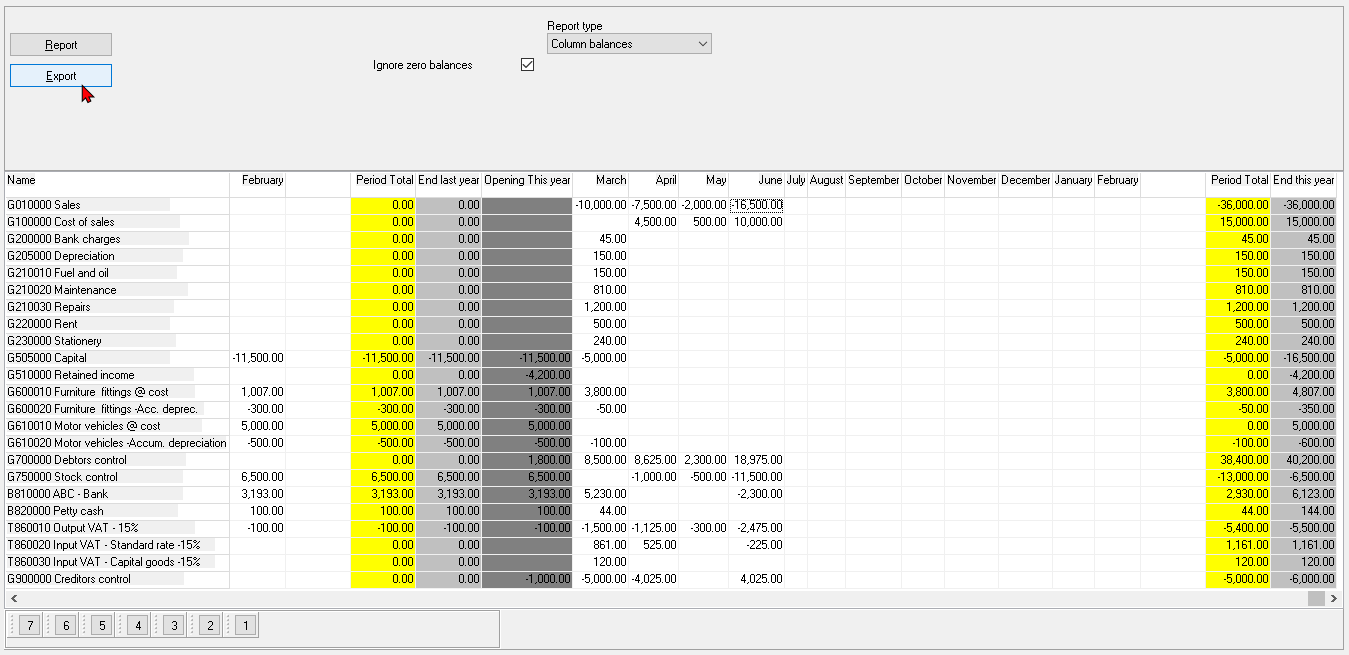
This report type will list all General ledger accounts (or with balances only, if the "Ignore zero balances" field is not selected (not ticked)) in the following columns:
- Opening Balance Last Year - Period -1
- Periods - This is last year periods - usually 1 to 12 (depending on the number of periods and descriptions specified and entered in Reporting dates on the Setup ribbon).
- Period Total - The total of the period totals for last year.
- End Last Year - Opening Balance Last Year total and the Period Total.
- Opening This Year - Period 0 - This should be the same as the End Last Year totals.
- Periods - This is the current year (this year) periods - usually 14 to 25 (depending on the number of periods and descriptions specified and entered in Reporting dates on the Setup ribbon).
- Period Total - The total of the period totals for this year.
- End this year - Opening Balance This Year total and the Period Total (This Year).
Export to Spreadsheet
|
|
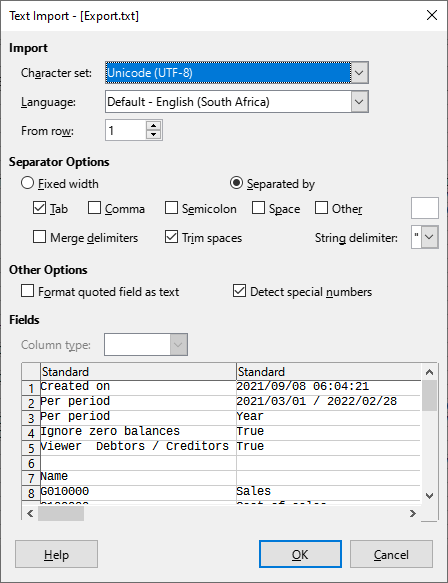
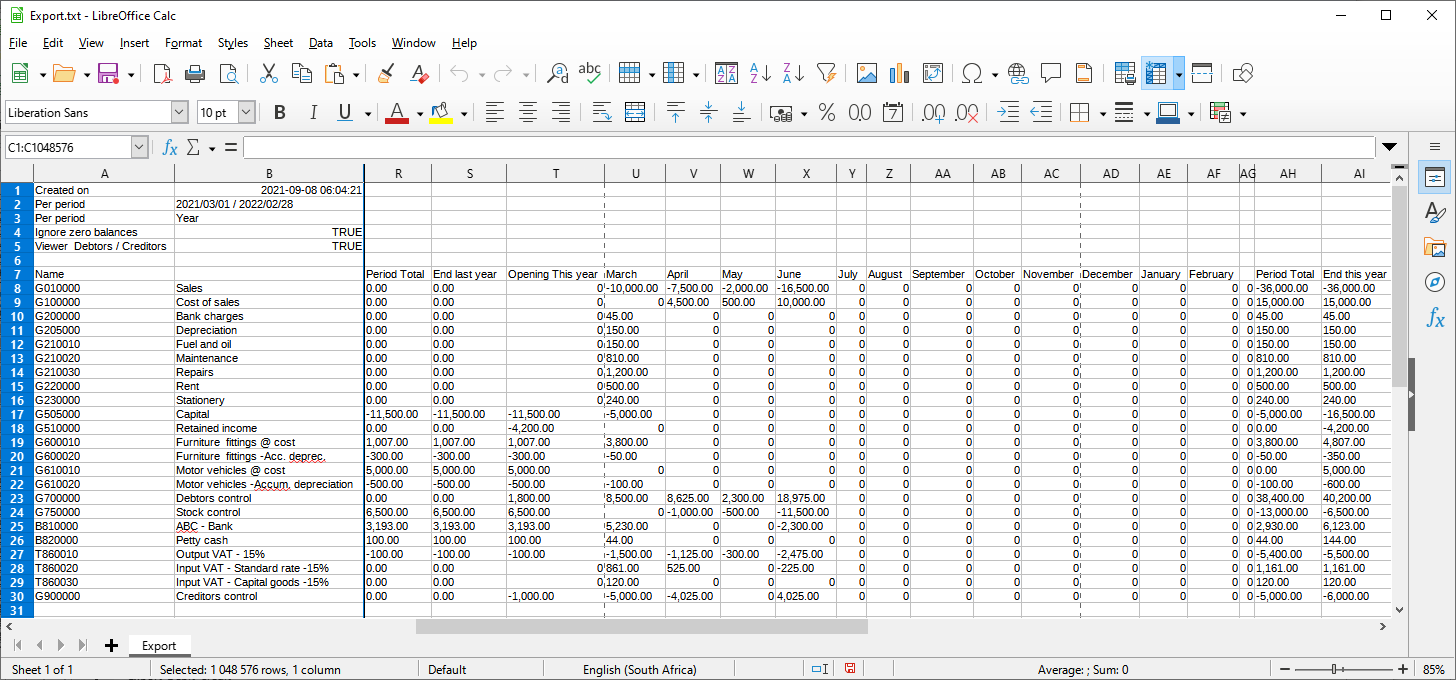
Export button You may save the export file as Text files (*.txt) (default file type); or as CSV files (*.csv) (Comma Separated Values) file type. This will automatically open (launch) the exported file in the program associated with the selected file type:
|

View transactions in T-Account viewer
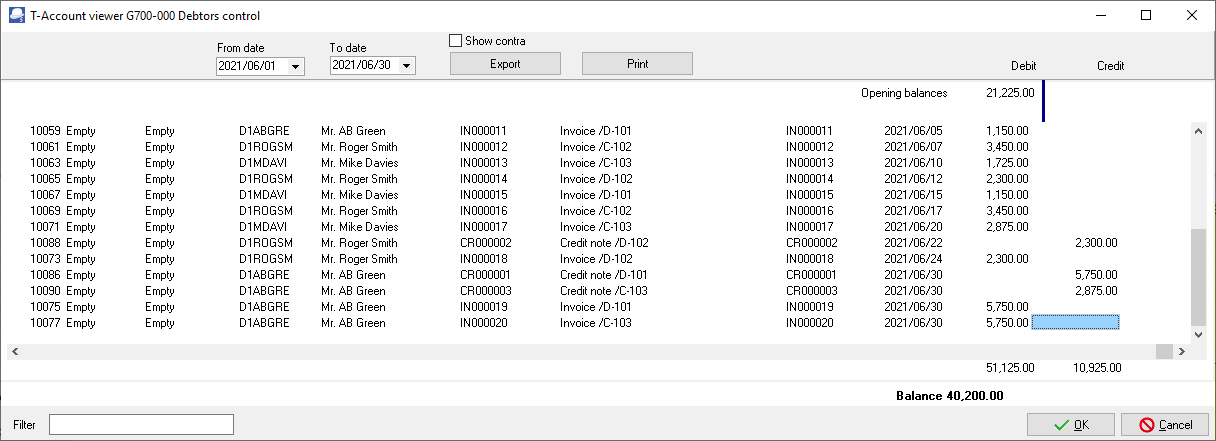
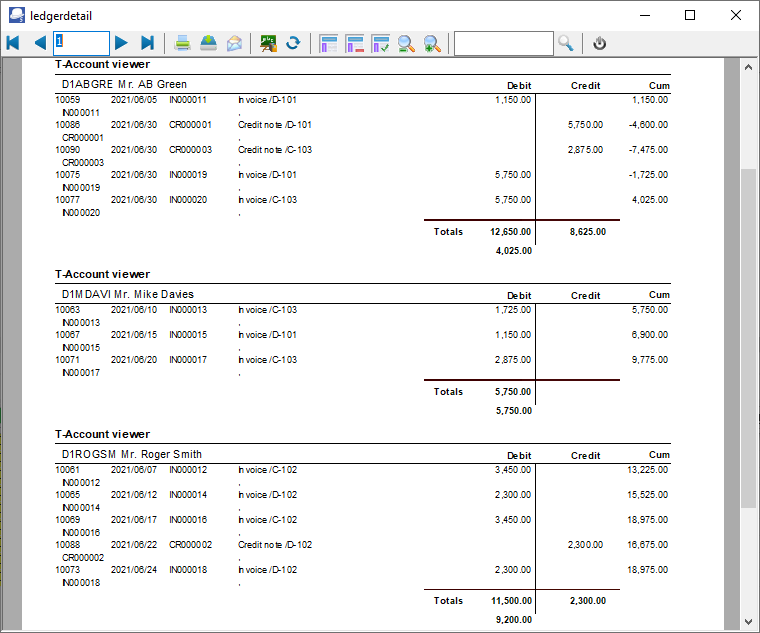
In this example, the T-Account viewer is launched by a double-click in the month (accounting period) "June" in the "G700000 Debtors control" account:
Print transactions in T-Account viewer
Click on the Print button to print the selection in the T-Account viewer.
Export transactions in T-Account viewer
|
|
You may double-click on an account and / or in a specific period to list and view the transaction details in the T-Account viewer. You may be print the transactions. You may also click on the Export button of the T-Account viewer to export the transactions to a spreadsheet. You may select to save the export file as Text files (*.txt) (default file type); or as CSV files (*.csv) (Comma Separated Values) file type. This will automatically open (launch) the exported file in the program associated with the selected file type:
|
