
Import Debtor accounts
This option will allow you to import data for debtor (customer / client) records from a valid file format into an existing Set of Books. To be able to import the data for debtor (customer / client) records, you need to have created a valid XML Database file, TXF TurboCASH Data Exchange file, Lotus Spreadsheet file on your system in Setup → Export.
To import Debtor (customer / client) accounts:
- On the Setup ribbon, select Import. The "Import Data into TurboCASH5.2" screen is displayed:

- Select Debtors/Creditors as the Data Type to Import, if not already displayed.
- Select one of the following file types in which the data to import, is saved on your system:
- Comma Separated Value (*.CSV)
- XML Database File (*.XML)
- Lotus Spreadsheet File (*.WK1)
- Click on the
 button to locate the data file. The following screen is displayed:
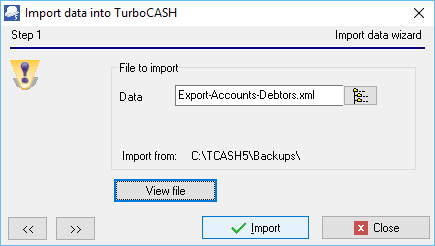
- Click on the
 button to locate the data file.
 - Click on the button. The following screen is displayed:

- Click on the Import button. The "ImportCheck" screen is displayed

- You may use the record buttons to add, delete or change the debtor (customer / client) accounts on the ImportCheck screen. You may then click on the All or OK buttons to import the debtor (customer / client) accounts.
- Once the import process is finished an information message "Data file import completed!" will be displayed. Click on the OK button.
- Go to the Reports ribbon and select Reports → Debtors → Listing menu to check that the debtor (customer / client) accounts are correct.
- If you need to edit the debtor (customer / client) accounts, go to the Default ribbon and select Debtor.