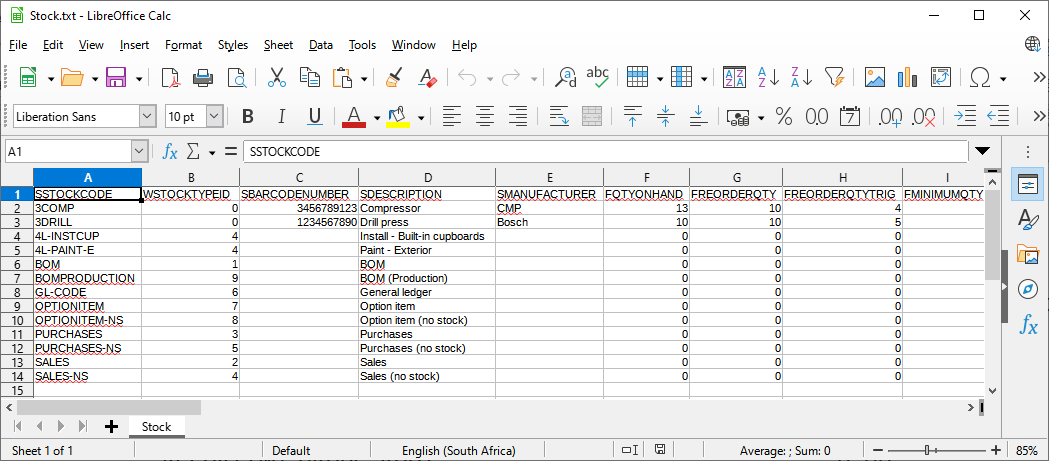
Export / Import Stock items
If you need to import stock items it is recommended that you first create an export file of the data for your stock items in the Tools → Export menu.
You may then import the data of your stock items in the Tools → Import menu.
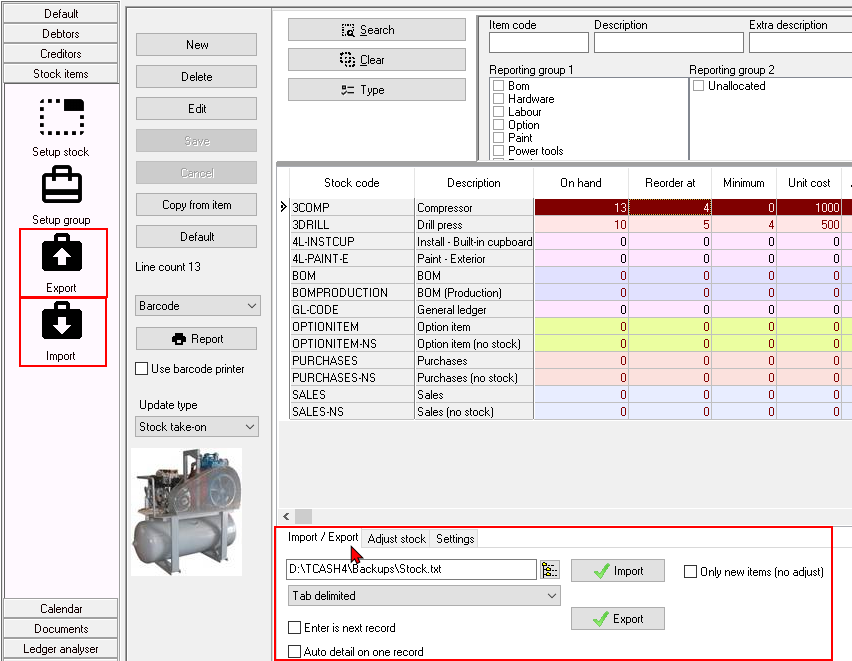
You may also export or import stock items as a tab delimited text file from the following options:
|
|
You may use the filter options on the stock items list screen, to export the stock items that matches your filter criteria. |

Once the text file is saved, you need to launch your spreadsheet application i.e Excel, OpenOffice, LibreOffice, Ultra Office, etc.
To open the exported stock items text file in a spreadsheet:
On your spreadsheet application, open the saved stock items text (*.txt) file and confirm your tab delimited settings.
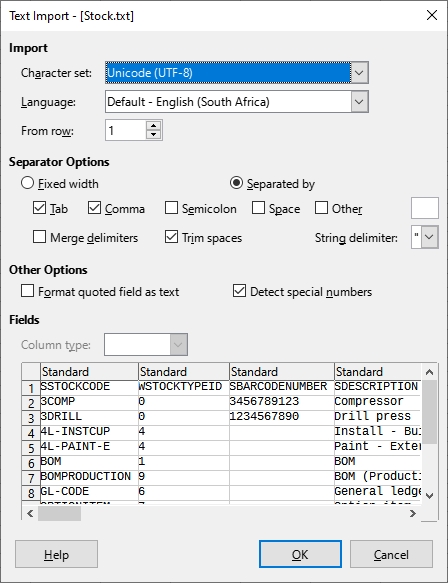
This will open your stock items in a spreadsheet.