
Creditor accounts - Context-menu - Change Creditor group 1/2
You may change the Creditor group 1 and / or 2 for selected creditor (supplier / vendor) account(s).
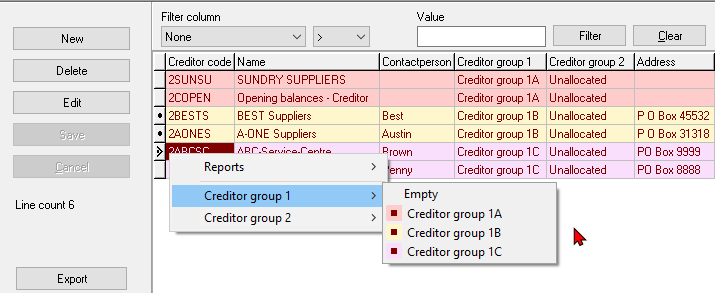
To change Creditor group 1 or Creditor group 2:
1.On the Edit → Creditors (Creditor list screen) select the Creditor (supplier / vendor) accounts, and right-click on Creditor group 1 or Creditor group 2 context-menu.
|
|
If you need to select multiple creditor accounts, press the Ctrl key and click on each creditor account. |

2.Select "Empty" or the available Creditor group from the sub-menu. The Creditor group 1 or 2 will change on the reports.