Batch report - Documents (Reports menu)
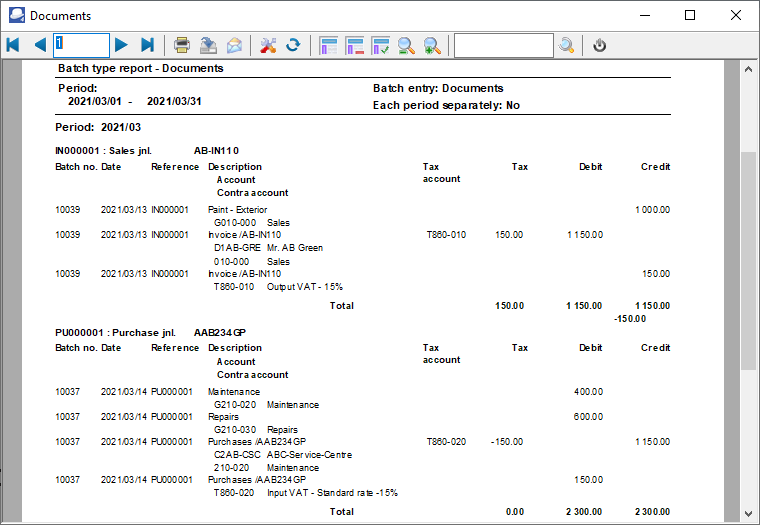
Print the transactions of all posted invoices, credit notes, purchase and supplier return documents for a specific selected period.
To print Batch entry - Documents reports:
1.Select the Reports → Batch entry menu.
2.Select "Documents", if not already selected.
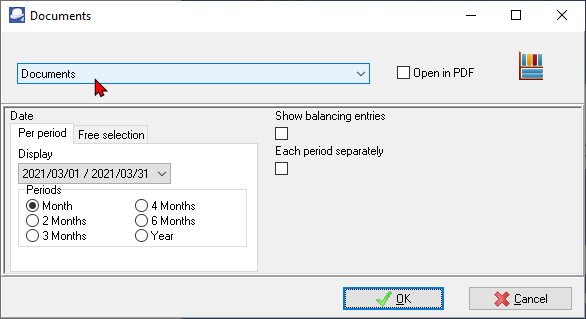
3.Select the following:
a)Period - Select the period on the Per period tab. You may click on the Free selection tab to select a specific date or a range of dates.
b)Show Balancing Entries - Not implemented.
c)Each period separately - Tick this option to print each period on a new page.
4.Click on the OK button.
An example of the "Batch type report - Documents" report, is as follows:
Page 1 - (First 2 documents only)