BookStage
Pre-accounting workbench
Open-source web entangled, pre-accounting workbench for document capture, reconciliation, and TurboCASH integration.
Download
Purpose:
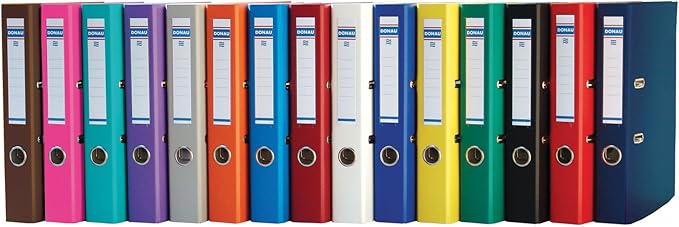
Desktop pre-accounting application for bookkeepers, accountants, and developers.The messy part of any accounting office are those rows of lever arch files containing spreadsheets, recons, delivery notes, bank statements, tax returns. Then the tough part - entering them into the accounting package. Bookstage sorts through that clutter and makes it easy to upload accounting data.
News bookstage 0.6.0
Bookstage is now developing rapidly. bookstage 0-6-0 is upgraded from alpha to a beta release - focus now is n bug removal.
Paypal integration
Thunderbird Integration
OCR for loading PDFs as data
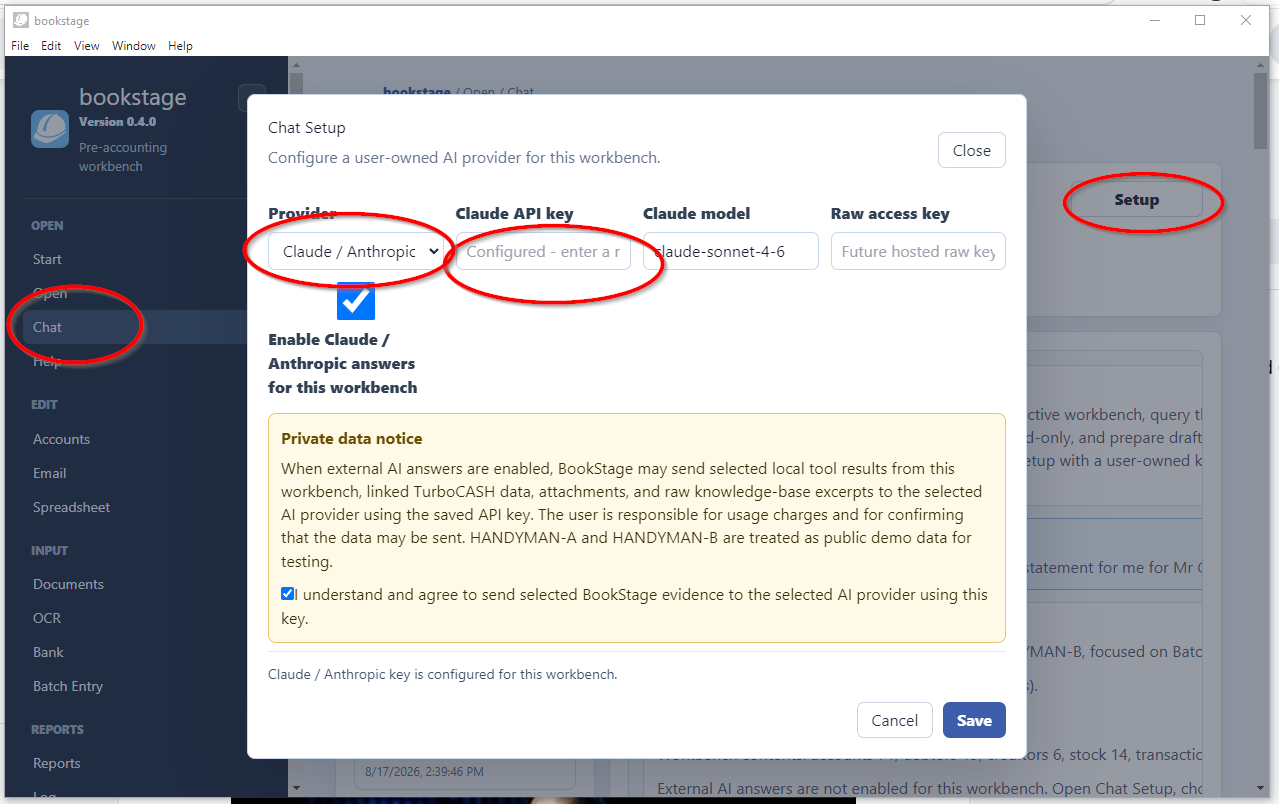
ChatGPT and Claude API integration
MCP knowlege base
Framework for handling and integrating :
- Documents
- Batches
- Spreadsheets
- Emails
- Accounts
- OCR
Prepare your accounting information using English (voice commands soon to be added) Bookstage is free and open source, there is no cost to try it. However to get the full AI benefit you will need a TurboCASH 5-3 subscription for $6 per month and a starting point for an Open AI or Claude AI (Starts at $5 once off)
Buy
If you are at all interested in how AI is going to change the way accountants work with accounting software, I urge you to get involved now. The choice is stark, get involved or soon find someone else is doing your work five times more efficiently
Core workflows:
- Document preparation
- Bank feed reconciliation
- Online orders and reports
- Batches
- email integration
- spreadsheets
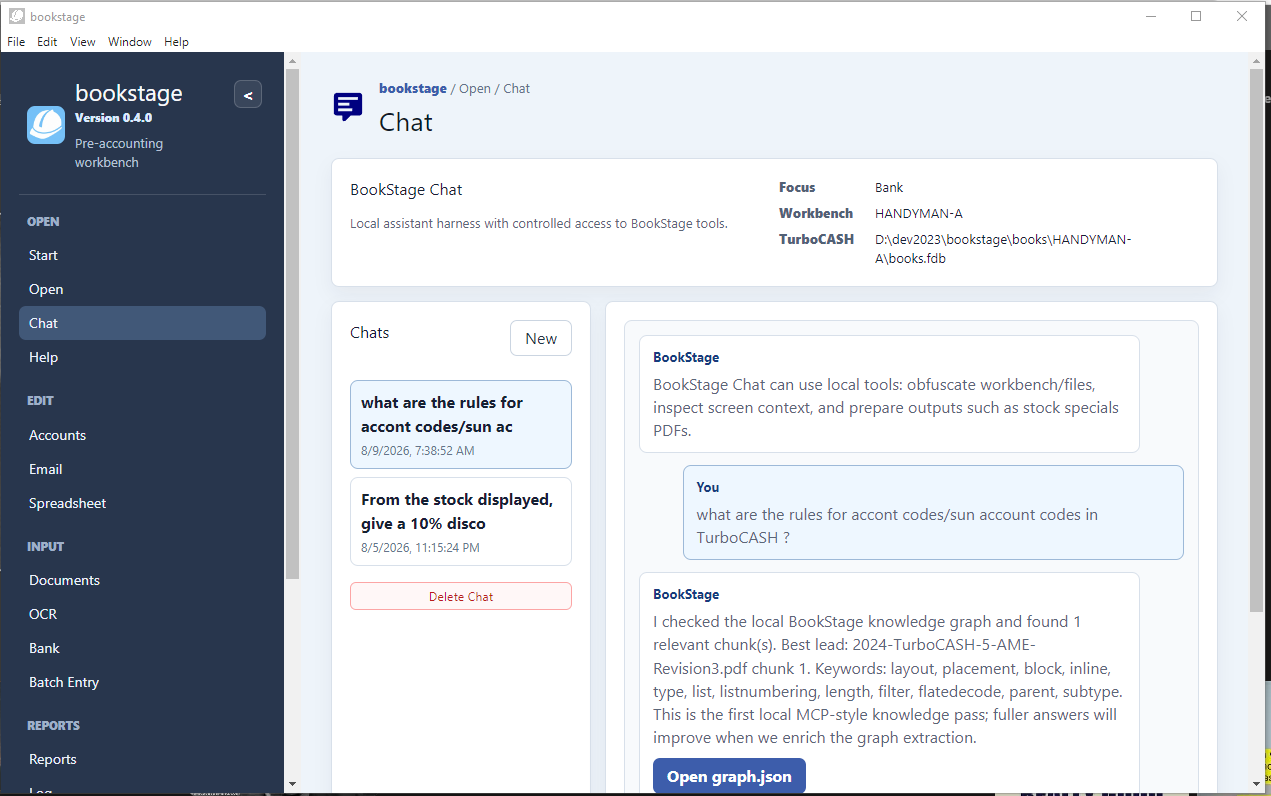
- context sensitive AI Chat.

. Free to TurboCASH 5 users.
. $ 6 a month as a standalone*
. Access to our MCP servers
. Desktop, LAN, One Drive, Google Drive, Drop Box
. Works with TurboCASH 4 and TurboCASH 5, or Standalone
* the program is free. There is an ongoing cost for standalone usage that involves the MCP servers.
High traffic users will need to by extra Chat GPT or Claude tokens. bookstager has been optimised to keep these costs down.
A further $5 a month will cover a susbstantial usage.
Integrated help and ChatGPT or Claude
Harness the power of AI in your usage.
Future Extensions:
- POS imports
- Payroll imports
- TurboCASH integration by ETL
- Electron desktop app
- React UI
- Firebird access through Electron main/preload IPC
- Reads TurboCASH books.fdb
- Can run standalone or integrate with TurboCASH Accounting
- Tightly integrated with Chat GPT
- Tightly integrated with the TurboCASH Web site
Apache License 2.0
Fully free for open-source, enterprise, commercial, redistribution, and encapsulated use.
Accountants
An easier way to handle all those messy documents
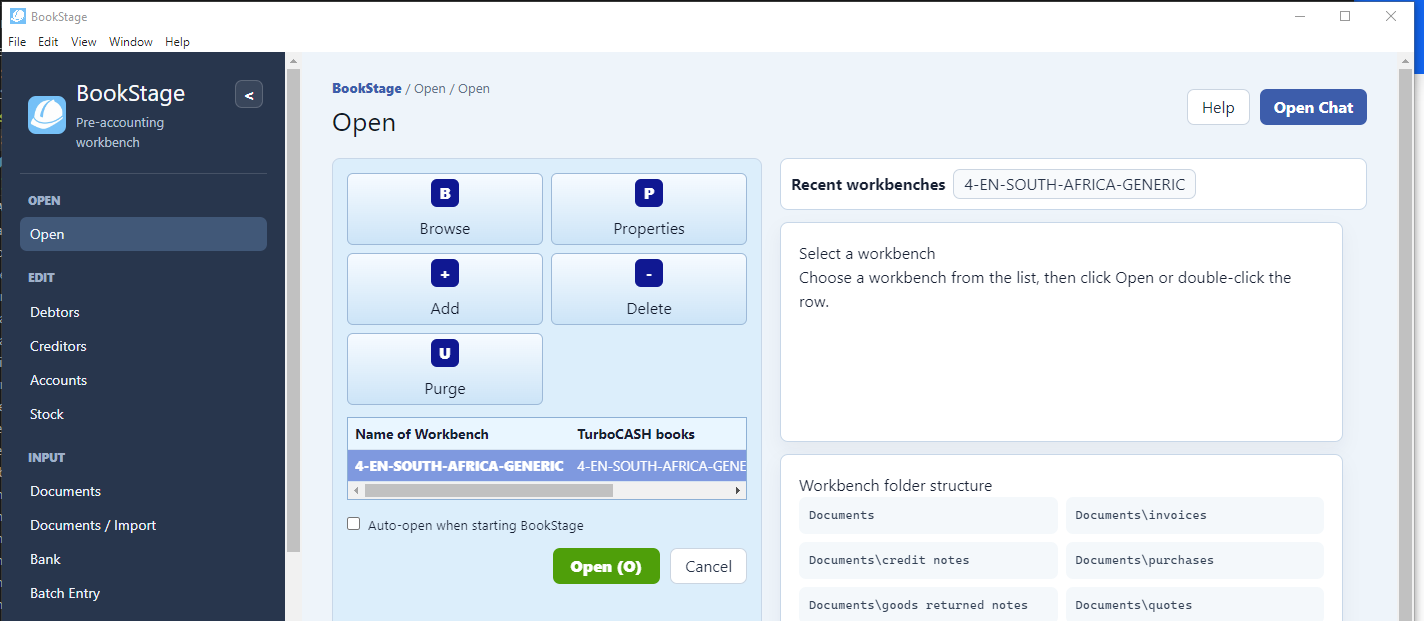
Open a Workbench
Documents
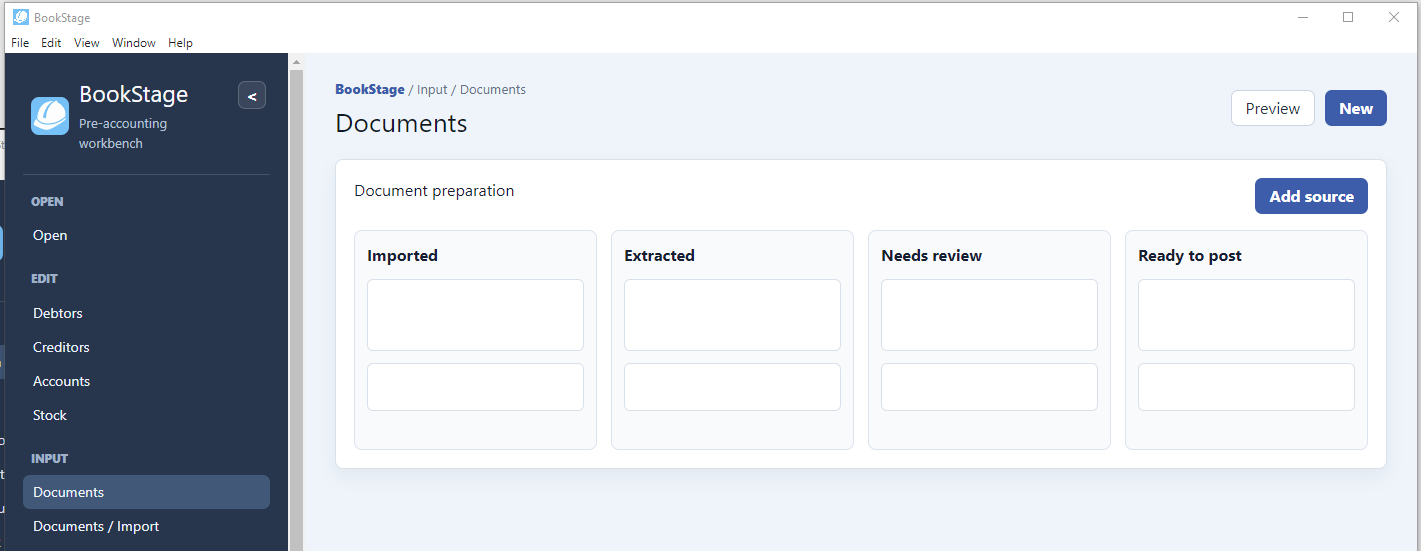
- Store and categorise your documents.
- Use the powerful search and filter to find what you need, when you need it.
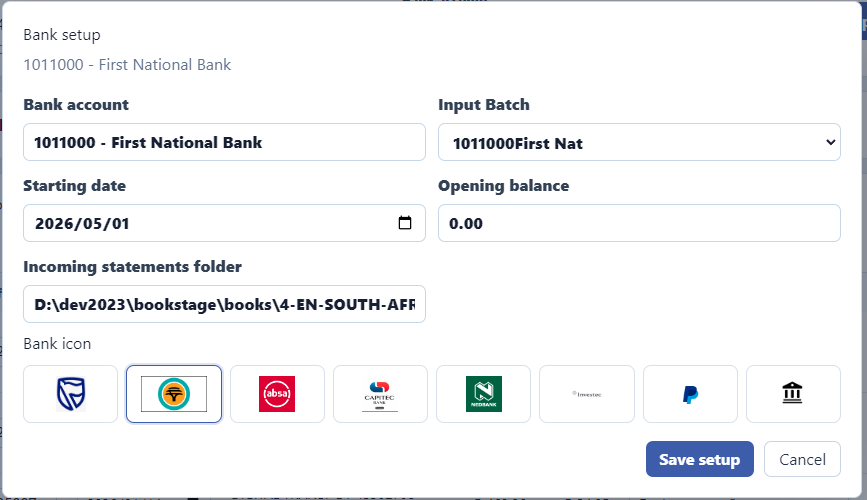
Manage Bank Accounts
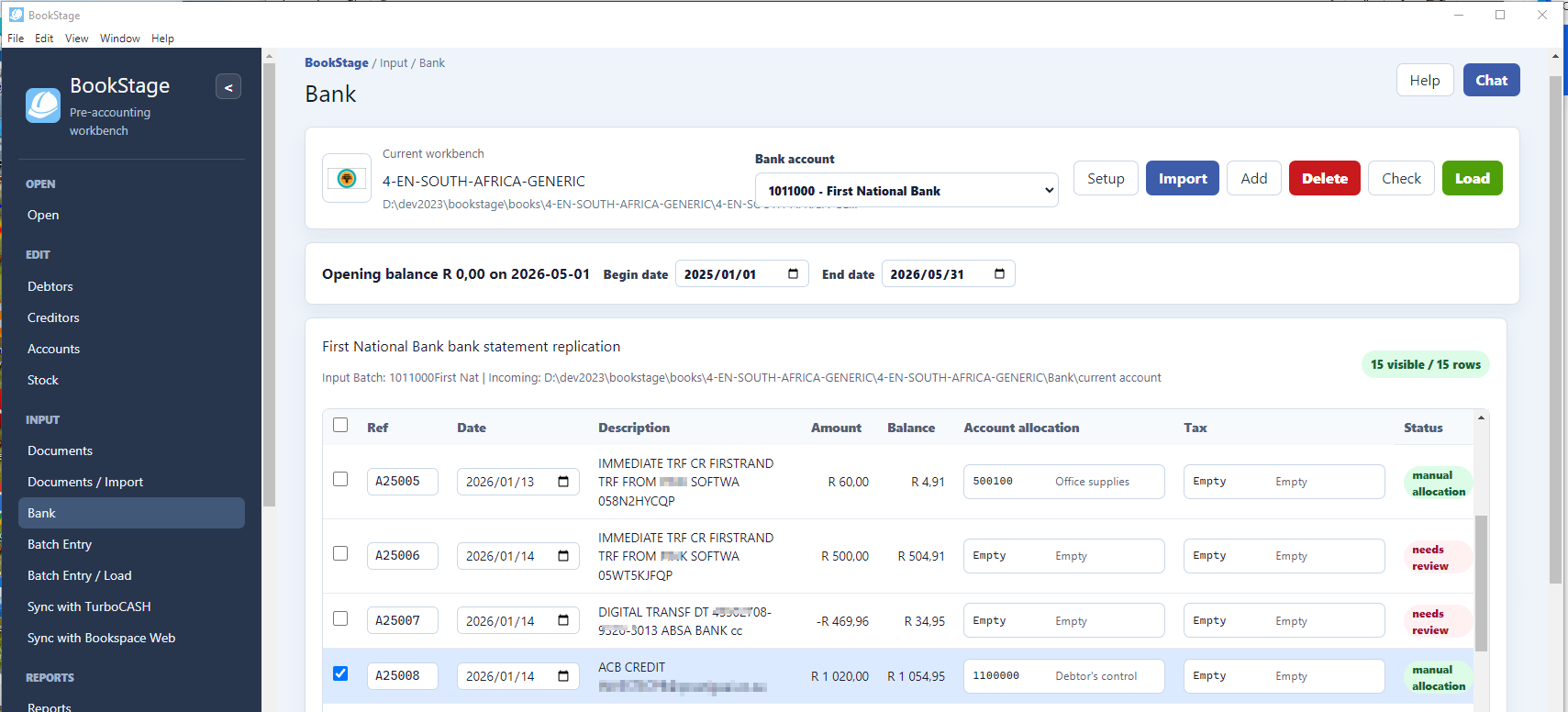
- Link multiple banks and multiple companies
- Download and manage bank statements
- Import bank statements into BookStage
- Auto allocate transations linked to TurboCASH books
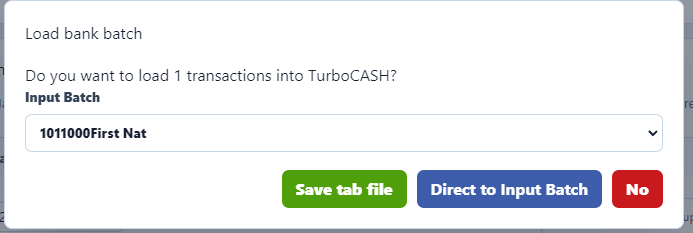
- Load bank statements into TurboCASH books
Developers
Develop your own ETL for TurboCASH and other systems
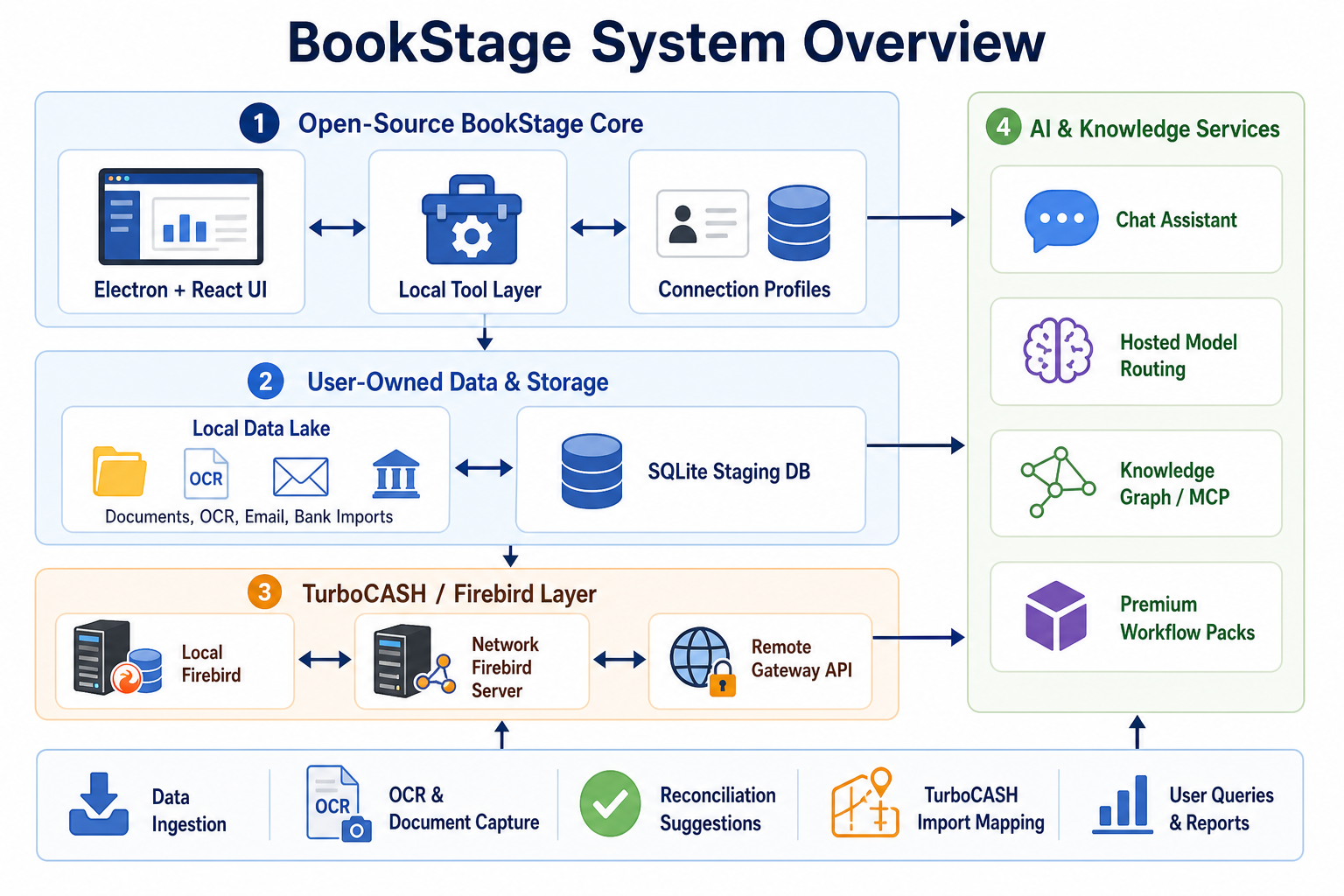
Architecture
An Electron app is a desktop application built using web technologies like HTML, CSS, and JavaScript, but packaged to run natively on Windows, macOS, and Linux. Electron combines Chromium (for rendering the interface) and Node.js (for backend logic), allowing developers to write cross-platform apps with a single codebase. Popular apps like Visual Studio Code, Slack, and Discord are built with Electron because it makes it easy to deliver rich, modern interfaces while still accessing native system features.
Features
- Leverage twenty years of TurboCASH developement, or build your own scaffold
- Built on the legacy of a million lines of Delphi Code
- Cross-platform: Write once, run anywhere on Windows, macOS, and Linux.
- Web entagled, work easily with our servers. MPC servers
- open source, easy to fork, permissive Apache licence, ready to modify with CODEX
- Use TurboCASH or link to your own accounting system

Core Architecture
-
Main Process
Runs in Node.js. It controls the app lifecycle (launch, quit, menus, notifications, file system access). Think of it as the “backend” of the desktop app. -
Renderer Process
Runs in Chromium. Each window (or tab-like view) is a separate renderer process. This is where the UI lives, built with HTML, CSS, and JavaScript. It behaves like a web page but has access to native APIs through Electron. -
IPC (Inter‑Process Communication)
Since the main and renderer processes are isolated, they communicate via IPC channels. For example, the renderer might request a file read, and the main process executes it using Node.js, then sends the result back.
Key Features
- Cross‑platform: One codebase runs on Windows, macOS, and Linux.
- Native integration: Access to OS features like notifications, menus, tray icons, clipboard, and file system.
- Packaging: Apps are bundled with Electron, so they ship with their own Chromium and Node.js runtime. This makes them heavier than native apps but ensures consistency across platforms.
- Developer workflow: You can use modern web frameworks (React, Vue, Angular) to build the UI, while Node.js handles system-level tasks.
Example Flow
- User opens the app → Main process starts.
- Main process creates a BrowserWindow → Renderer process loads your HTML/JS.
- Renderer displays UI → User clicks a button.
- Renderer sends IPC message → Main process performs system action (e.g., read/write file).
- Main process responds → Renderer updates UI.
Connection Profiles
BookStage is built around connection profiles, not around “one database path”. That lets the same UI support local, LAN, and internet-style access cleanly.
BookStage UI
React renderer
|
v
Electron preload API
window.bookStageAPI
|
v
Electron main process
Connection/profile manager
|
+> Local Firebird server
| localhost:D:\...\books.fdb
|
+> Network Firebird server
| office-server:D:\TurboCASH\Company\books.fdb
|
+> Remote BookStage Gateway
https://client.example.com/api
|
v
Firebird server near the database
Important rule: do not open a Firebird database over a shared folder like:
\\server\share\books.fdb
That is risky. Firebird databases should be accessed through a Firebird server process, even on a LAN.
So the three supported connection types should be:
1. Local Books
host: localhost
database: D:\dev2023\bookstage\books\4-EN-UK-GENERIC\books.fdb
user: SYSDBA
password: masterkey
2. Network Books
host: office-server
database: D:\TurboCASH\Books\ClientA\books.fdb
user: SYSDBA
password: ********
The file lives on the server machine. BookStage connects to Firebird on that machine.
3. Internet Books
Do not expose Firebird directly to the internet if you can avoid it. Better:
BookStage desktop
-> HTTPS API
-> BookStage Gateway service
-> Firebird on same private server/network
That gateway can handle authentication, logging, rate limits, backups, and later sync rules.
For development, create this progression:
Phase 1: Local Firebird
BookStage -> localhost Firebird -> local books.fdb
Phase 2: LAN simulation
BookStage -> 127.0.0.1 or machine name -> Firebird server path
Phase 3: Gateway simulation
BookStage -> local Express API -> Firebird
In the app, create a Connection Profiles table in SQLite:
connection_profiles
id
name
type: local | network | gateway
host
port
database_path
api_url
username
encrypted_password
last_opened_at
status
Then the first real module should be Open a set of books, with tabs:
Local
Network
Internet / Gateway
Recent
SQLite
We SQLite, but store JSON packets inside it. That gives you a practical “document database” without adding a server dependency. A workbench can be:/workbench-folder
Documents/
bookstage.sqlite
Inside SQLite:
packets
id
packet_type
source_path
json_body sha256_hash
created_at
updated_at
status
SQLite is not “only relational.” It has good JSON support through JSON1, so you can store and query JSON:
SELECT *
FROM packets
WHERE json_extract(json_body, '$.supplier.name') = 'ABC Supplies';
Why SQLite is better at this stage:
zero install for users
works offline
easy to back up with the workbench
reliable ACID transactions
good enough for thousands or millions of document packets simple to ship in Electron
no local database server to manage
Frequently Asked Questions
Whats in it for you?