Example using TurboCASH and AI
To import a CSV batch from your Bank into the Turbocash cashbook
#turbocashcashbookimportexport
Introduction
Every day we hear of how AI is going to change the world.Deloittes tells us 1.47 BN jobs will change in favour of that can use AI. Now is a good time to upskill yourself in AI.
This is a simple example 10-20 minutes using AI to convert a CSV file from your bank into a format that can be imported into TurboCASH. Without AI this would have been a complex task. With AI it is a simple task.
If you are a TurboCASH consultant you may wish to join the TurboCASH consultant's Group
Join the AI discussion at Reddit
Start by signing up to free chat.openai.com
This example Uses
TurboCASH 5 Business Classa copy of the set of books:
for example:
chat.openai.com
Optional software
Libre Office (notepad as alternative)Visual Studio Code
CSV to TurboCASH Converter
Upload - Combine - Copy to Clipboard - Submit the Text on the clip board to ChatGPT
TurboCASH AI
We are aiming to get an import into a Turbo
Submit the clipboard to free version of the openai chat engine chat.openai.com
Additional input for chat.openai.com
If you do not get the answer you want, submit the text below to chat.openai.com
Similalrly use this expanded preamble to train Google Bard
Use copy and paste
Here is an example of a #ABSACSV Bank downloaded in CSV format
stored in
BIN\TutorialsUTORIALS\EN-TUTORIALS\HANDYMAN-A\bank\bankexportcsv.csv
Date,Description,Amount,Balance
20230701,TRANSACTION CHARGE,-22.00,2146.76
20230701,MONTHLY ACC FEE,-58.00,2088.76
20230703,ACB CREDIT ALL TURBO,1500.00,3588.76
20230705,"NOTIFIC FEE SMS NOTIFYME ( 1,20 ) 2 SMS NOTIFICATIONS",0.00,3588.76
20230705,DIGITAL TRANSF DT 45533308-9333-3133 ABSA BANK credit card,-2242.08,1346.68
20230705,"ACB DEBIT:EXTERNAL ( 19,00 ) BLIARTY033551333330900C/P05JUL",-162.91,1183.77
20230710,ACB CREDIT TRF FROM PINK SOFTWA,2000.00,3183.77
20230711,DIGITAL TRANSF DT V ABSA BANK credit card,-2199.98,983.79
20230718,"NOTIFIC FEE SMS NOTIFYME ( 3,00 ) 5 SMS NOTIFICATIONS",0.00,983.79
Here is an example of a #turbocashcashbookimportexport exported from HANDYMAN-A
stored in
BIN\TUTORIALS\EN-TUTORIALS\HANDYMAN-A\cashbook\receipts.csv
To import a batch into TurboCASH this exact format must be used
D5000 01/03/2022 Cash received from owner G505-000 B810-000 T -5000 False Empty Empty
D5001 16/03/2022 Payment received - Thank you D1AB-GRE B810-000 T -2000 False Empty Empty
D5001 16/03/2022 Payment received - Thank you D1MA-CDS B810-000 T -1000 False Empty Empty
******** 01/03/2022 Cash received from owner B810-000 T810-000 T 5000 True Empty Empty
******** 16/03/2022 Payment received - Thank you B810-000 T810-000 T 2000 True Empty Empty
******** 16/03/2022 Payment received - Thank you B810-000 T810-000 T 1000 True Empty Empty
We require chat.openai.com to convert the #ABSACSV into #turbocashcashbookimportexport with:
ignoring column 4 Balance in #ABSACSV
using {Tab} delimiters instead of comma
put strings into columns 1 and 3
Put date in the same format as #turbocashcashbookimportexport in colums 2
Putting the fields G505-000 B810-000 into columns 4 and 5 of #turbocashcashbookimportexport
Putting the Letter T into column 6 of #turbocashcashbookimportexport
The Amount from column 3 of #absacsv as a two decimal real number - into column 7 of #turbocashcashbookimportexport
and the strings False Empty Empty into columns 8,9,10 of #turbocashcashbookimportexport
Importing into TurboCASH 5 Business Class
chat.openai.com will return a converted file
Copy the converted file and save it to local disk
Open with a free spreadsheet - Libreoffice
Microsoft Office 365 not tested
-Copy the chat.openai data using the Copy code link on the top right of the output into a spreadsheet
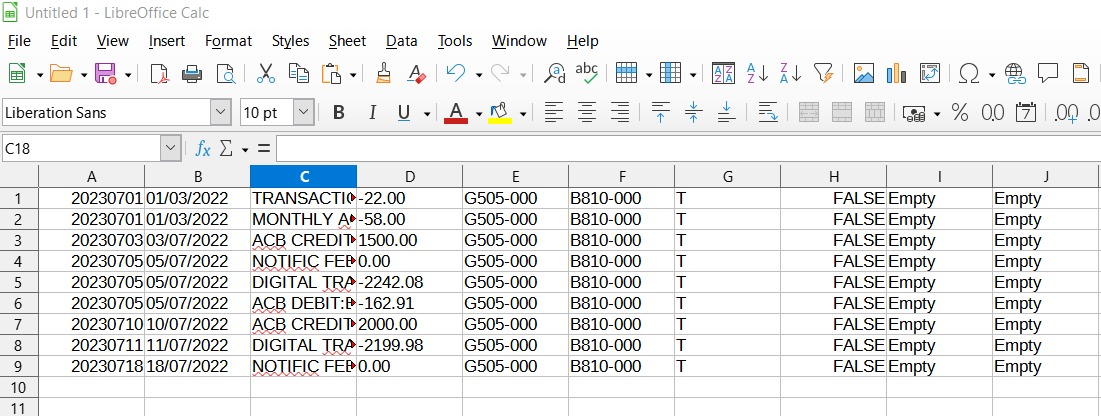
Save as a CSV file
With {Tab}delimited format
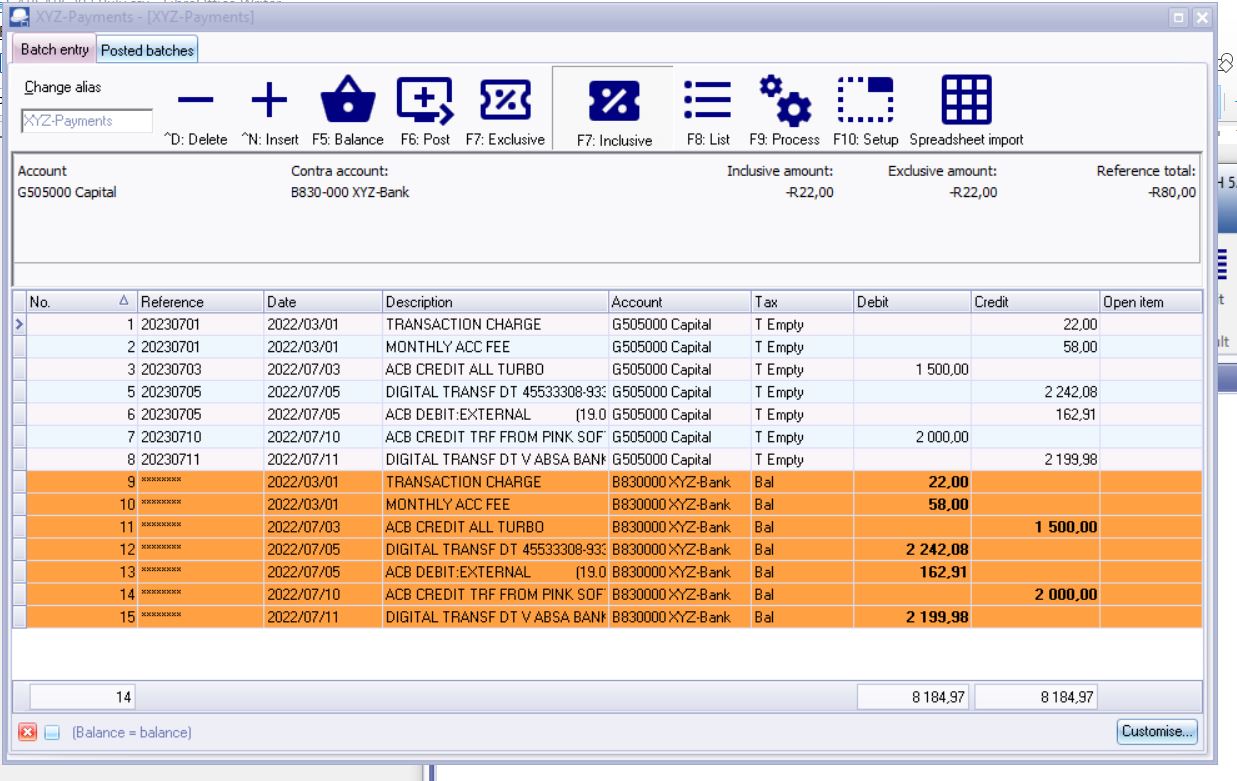
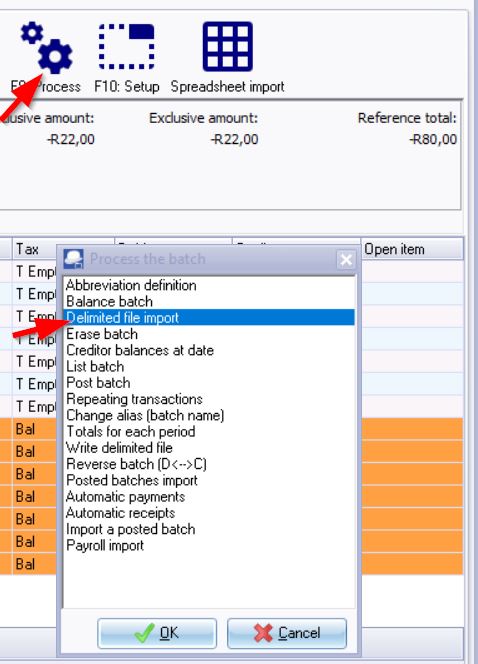
Import into TurboCASH
Once you have opened the TurboCASH Batch, use F9 Processs
The above example uses ABSA data #ABSACSV
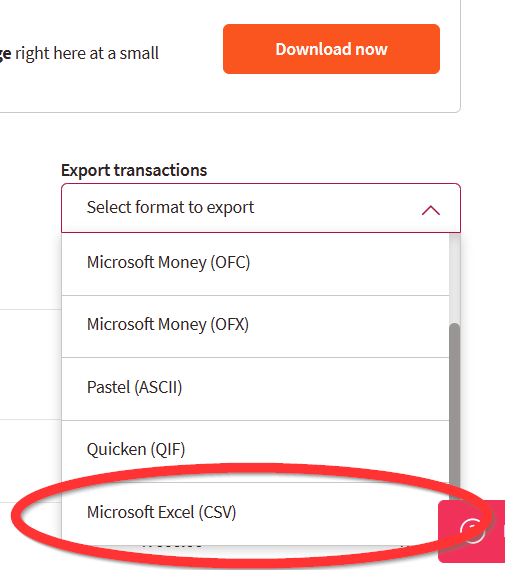
Download your own Bank transactions in CSV format.
use the target conversion name #turbocashcashbookimportexport