Purchases analysis (Reports menu)


Various reports are available on the Reports → Purchase analysis menu to analyze purchase documents.
Purchase documents per period (Reporting groups):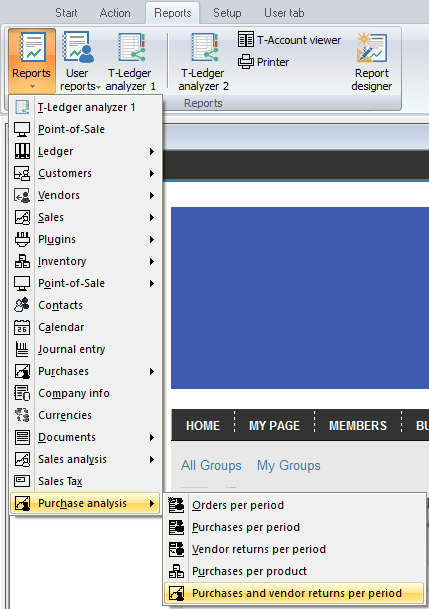
Five (5) reporting groups (i.e. Vendor group 1, Vendor group 2, Document group 1, Document group 2 and Salespersons):
1.Orders per period – This will list the transaction details of confirmed (posted) orders only for a selected period or date(s).
2.Purchases per period – This will list the transaction details of posted purchases only for a selected period or date(s).
3.Vendor returns per period – This will list the transaction details of posted supplier returns only for a selected period or date(s).
4.Purchases per product – Inventory group 1 and Inventory group 2 are also available to analyze the purchases and supplier returns of trading inventory items (default inventory type).
5.Purchases and vendor returns per period – This will list both the transaction details of posted purchases and supplier returns for a selected period or date(s).
Created with the Personal Edition of HelpNDoc: Easy EPub and documentation editor