Contacts (Reports menu)


This report lists all contacts linked to customer accounts as well as vendor accounts.
|
To list only the contacts for customer accounts, you need to print it in Reports → Customers → Listing - Contacts. To list only the contacts for vendor accounts, you need to print it in Reports → Vendors → Listing - Contacts. |
To add new contacts, edit or delete contacts, you may use the following options:
•Action → Contacts
•Action → Customers - Contacts tab
•Action → Vendors - Contacts tab
•Action → Calendar - Contacts
To print a list of all contacts:
1.On the Reports ribbon, select Reports → Contacts.
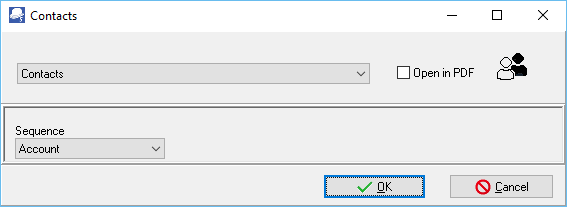
2.Sequence - Select "First name, Name, Account or Description".
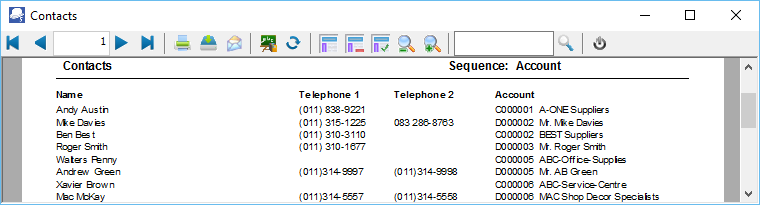
3.Click on OK. An example of the printed "Contacts" report, is as follows:
Created with the Personal Edition of HelpNDoc: Create help files for the Qt Help Framework
