Currencies (Reports menu)


The Currencies report will list the currencies (added / edited in the Setup → Currencies menu on the Setup ribbon).
You may process Multi-currency documents (i.e. invoices, credit notes and estimates for customers or purchases, supplier returns and orders for vendors.
You may (once currency or currencies are added) select a currency when processing documents.
The currency will be printed in the document layout files.
To print Currency listing reports:
1.On the Reports ribbon, select Reports → Currencies.
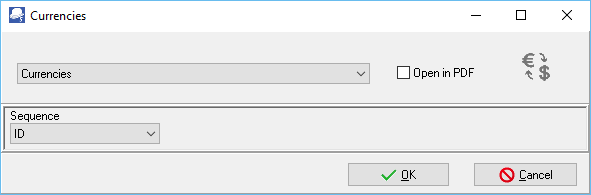
2.Select the Sequence (i.e. ID (record number), Description or Rate).
3.Click on the OK button.
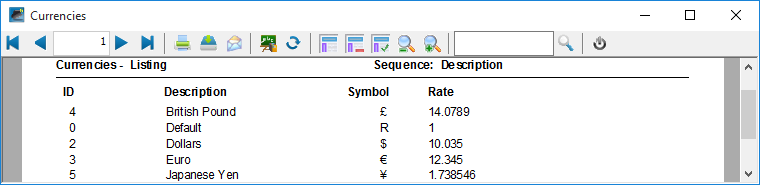
An example of the Currencies - Listing report, is as follows:
Created with the Personal Edition of HelpNDoc: Produce online help for Qt applications