
Reportman output - Save metafile as html
HTML (Hypertext Markup Language) files can be easily shared across all devices (e.g. desktops, laptops, mobile devices (tablets, cellular phones, etc.). It is also compatible and readable in the your system's associated default Web browser , e.g. Google Chrome, Firefox, Microsoft Edge, etc.
To save reports or document layout files as a html file:
- On the "Reportman print preview" screen, select Save (Ctrl+S)
 – This will launch the “Save Metafile As” screen.
 - Select the directory (folder) where you need to save this file, if necessary.
- Enter a file name.
- Select "Html file (single)" file type. This option is recommended for html output, as it does not save or export numbering bullets (numbering). as is the case with the "Html file" option.
- Click Save.
Html file (single)
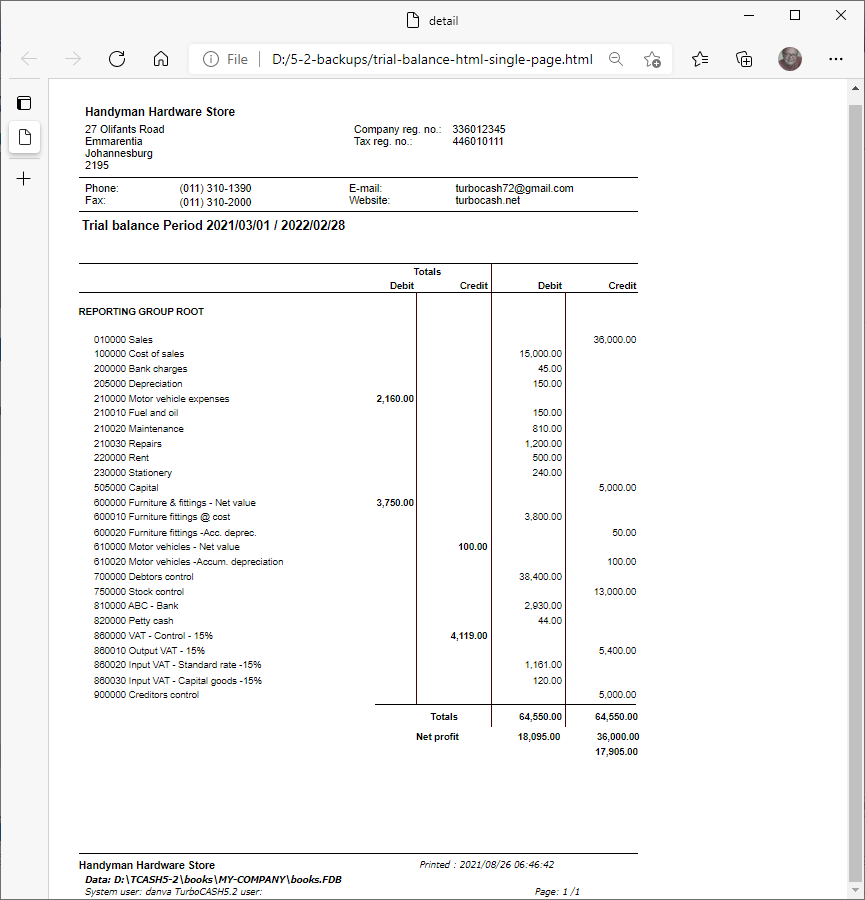
An example of the "Trial balance" saved as a Html file (single), is as follows:
Page 1 -
Html file
An example of the "Trial balance"; consisting of 1 page, saved as a Html file, is as follows:
If a report with multiple pages is saved as an Html file format, it will save the file in separate pages (and opened in separate tabs in your web browser). For example, a Trial balance consisting of 1 page, will be printed as follows:
html - Output folder
In this example, 88 items is saved.
- name of report and "0" added for page 1.
- It will also export numbering bullets (numbering) as objects for each page.

|
|
Trail-balance0.html is the first page of the saved html file. If the trial balance consists of more than one page name of report will increment to page "1" for page 2. It will also export numbering bullets (numbering) as objects for each page. |

Trail-balance0.html (first page)

Document layout files saved as the Html file type

|
|
If a layout file is saved as:
|
|
|
These issues in the HTML file type for layout files is not applicable to other file types. Note the frames do not print. The "Delivery address" labels overlaps. Should you need to use this html format, explore by selecting other layout file formats. To fix this:
|