
Open item link - Due tab
The Due tab will list all transactions for all open item accounts (i.e. ledger, debtors and creditors), which is set as open item accounts.
The transaction or outstanding transaction amounts are added in columns based on the number of days (0-29 days, 30-59 days, 60-89 days and +90 days).
|
|
You may click on Age analysis on the Reports ribbon to access this Due tab. |

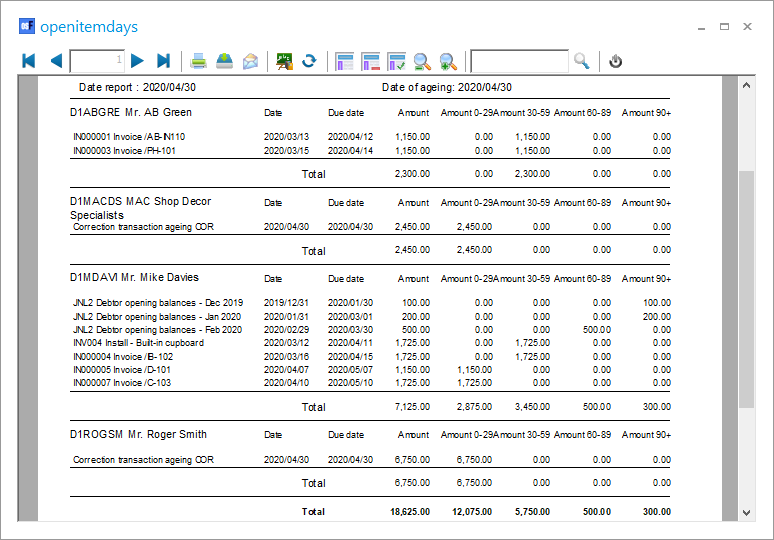
To generate and print ageing report for open item accounts:
- Select Open item link (Default ribbon).
- Click on Due tab.
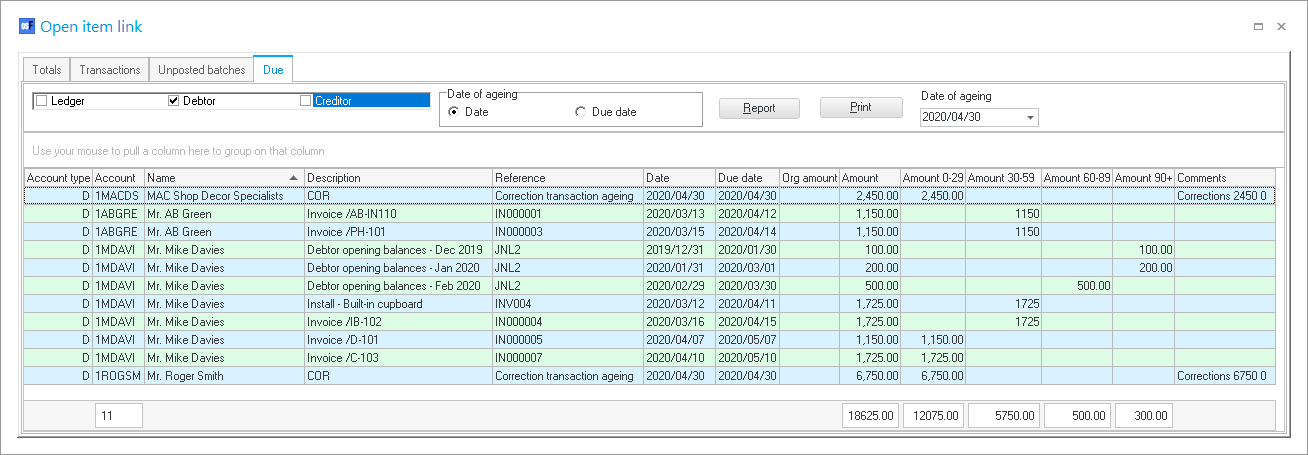
- Select the account type (i.e. ledger, debtors and creditors) to generate the Age analysis report for a specific account type.
- Date of ageing - select the date or due date option. The default is "Date of ageing" is the "Current date" (which is the date of your operating system). You may select the date of the ageing to a specific date.
|
|
"Correction transaction ageing COR" will automatically be generated to include the outstanding transaction dates on the report. |
