
Spreadsheet - Export - general ledger accounts
Select the Set of Books which contains the Accounts (Chart of accounts) you need to export.
This option will allow you to import data for Account records from a valid file format into an existing Set of Books. To be able to import the data for Account records, you need to have created a valid XML Database file, TXF TurboCASH Data Exchange file, Lotus Spreadsheet file on your system in the Setup → Export menu.
To export accounts to a spreadsheet:
- In the source Set of Books from which you wish to export the Accounts to a spreadsheet file, go to Setup → Accounts (Setup ribbon).

- Click on the Spreadsheet icon. A blank Spreadsheet will be displayed.
- Click on the Export icon on the "Data Import Export" screen. All the "accounts" (chart of accounts) is exported (populated) in the spreadsheet.
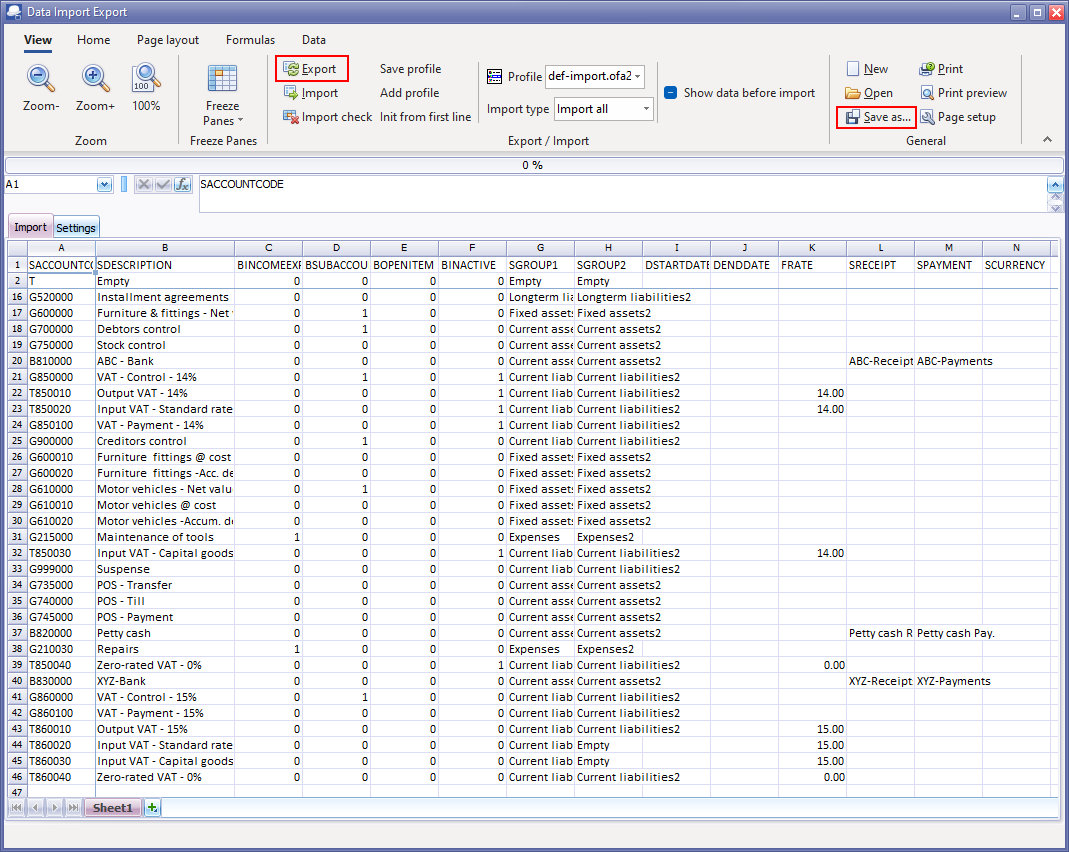
- To save the Spreadsheet export as a file, click on the Save as... icon.

- The recommended file type is Excel Workbook (*.xlsx).
- Select the location where you wish to save the spreadsheet file.
- Enter a name Click the Save button.
- Close the "Data Import Export" spreadsheet screen.