Batch processing options:

  1. Click Launch the correct batch type.
  2. Click on the F9: Process icon. The Process the batch options screen is displayed:
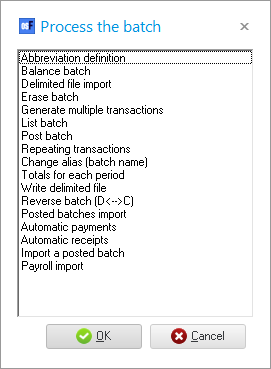
  1. Select one of the following options:
    1. Abbreviation definition - 
    2. Balance batch - 
    3. Delimited file import -
    4. Erase batch - 
    5. Generate multiple transactions - 

Generate multiple transactions - will be replaced with the following in:

    1. List Batch - 
    2. Post batch - 
    3. Repeating transactions - 
    4. Change alias (batch name) -
    5. Totals for each period - 
    6. Write delimited file - 
    7. Reverse batch (D<-->C) -  
    8. Posted batches import - 
    9. Automatic payments - 
    10. Automatic receipts - 
    11. Import a posted batch - 
    12. Payroll import - 
  1. Click on the OK button.