
Debtor - Context menu - Reports
The "Reports" context menu option allows you to print postal or delivery address labels for a selected debtor (customer / client) account.
To print labels for a selected debtor (customer / client) account:
- On the "Debtors" list screen, select a debtor (customer / client) account.
- Right-click and select "Reports → Selected debtor label" option or the select "Reports → Selected debtor delivery label" option on the context menu. This will print the postal address label or the the delivery address label of the selected debtor (customer / client) account.
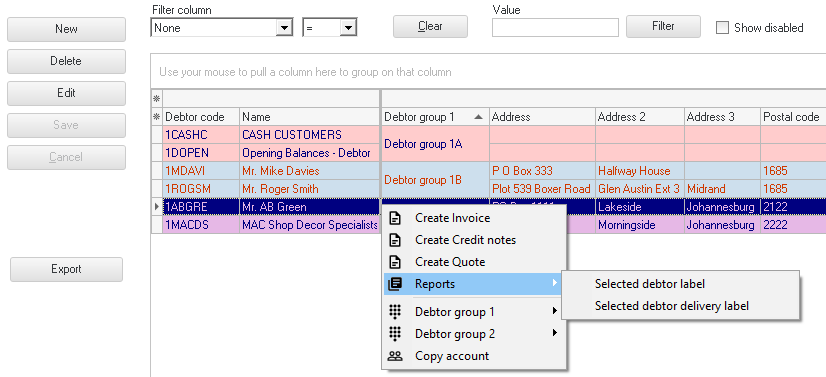
|
|
You will only be allowed to print the postal address label or delivery address label for one selected debtor (customer / client) account at a time. |

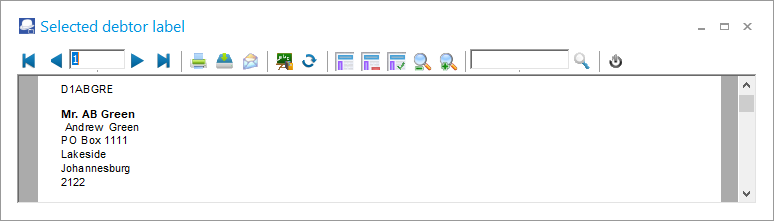
An example of a printed postal address labels, is as follows:
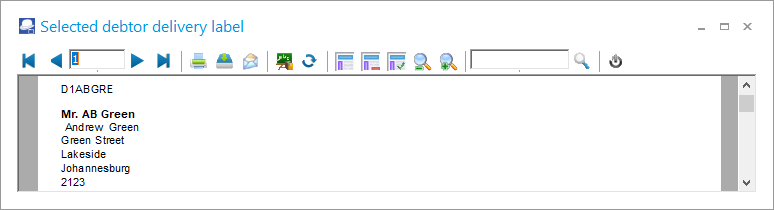
An example of a printed delivery address labels, is as follows:
|
|
You may also print the Postal address labels or Delivery address labels for debtor (customer / client) accounts from the Reports → Debtors → Print labels (Reports ribbon). |
