
Context menu - Show details
|
|
Show details build 453 - Remarks added - document amount shows now as 0.00 build 432 - Remarks not added - amount shows document amount (inclusive) |

By default, only a summary of the documents is listed on the Documents list screen. You may select to show the details of the items, quantities and comments added to documents. When a document is selected or the scrolled on the list, the details will be displayed.
To show or hide the details on a selected document:
- On the Default ribbon, select Documents (Documents list screen), select the Document type, if the correct document type is not selected.
- Right-click anywhere on the Documents list screen or on a selected document. On the context menu, select the Others → Show details option.
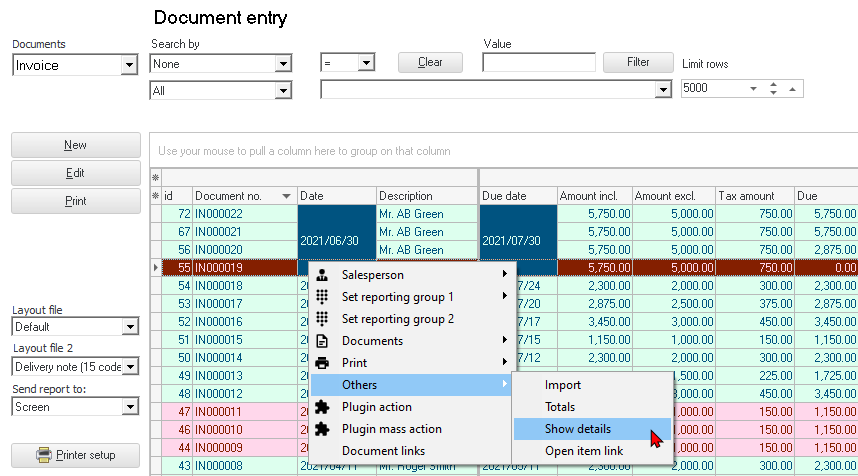
- When a document is selected, it will display the details of the document.
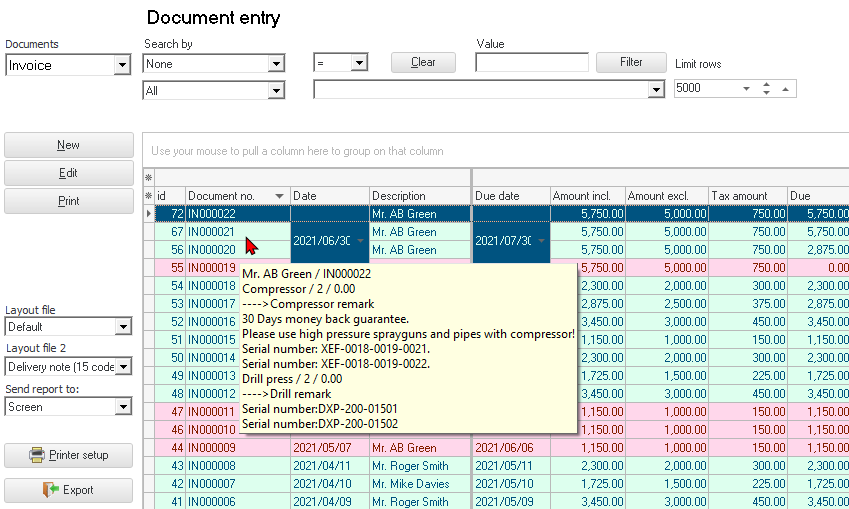
The the details will display the following:
- Name of debtor (customer / client) or creditor (supplier / vendor)
- Document number
- Stock item description
- Quantity
- Price (Inclusive of tax)
- Remarks (if entered)
- Comments (if entered)
The details will be displayed until the Set of Books is closed.
|
|
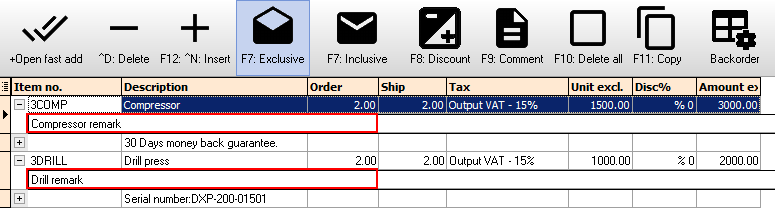
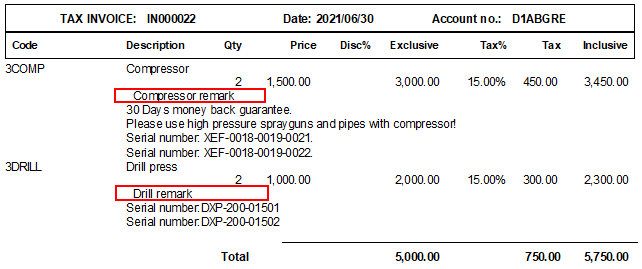
Remarks entered for selected stock items in Documents will not be displayed in the Others → Show details option on the context menu of the Documents list screen.
It will be printed on the document layout file.
|

To turn the Show details off:
Right-click and select the Others → Hide option on the context menu.